

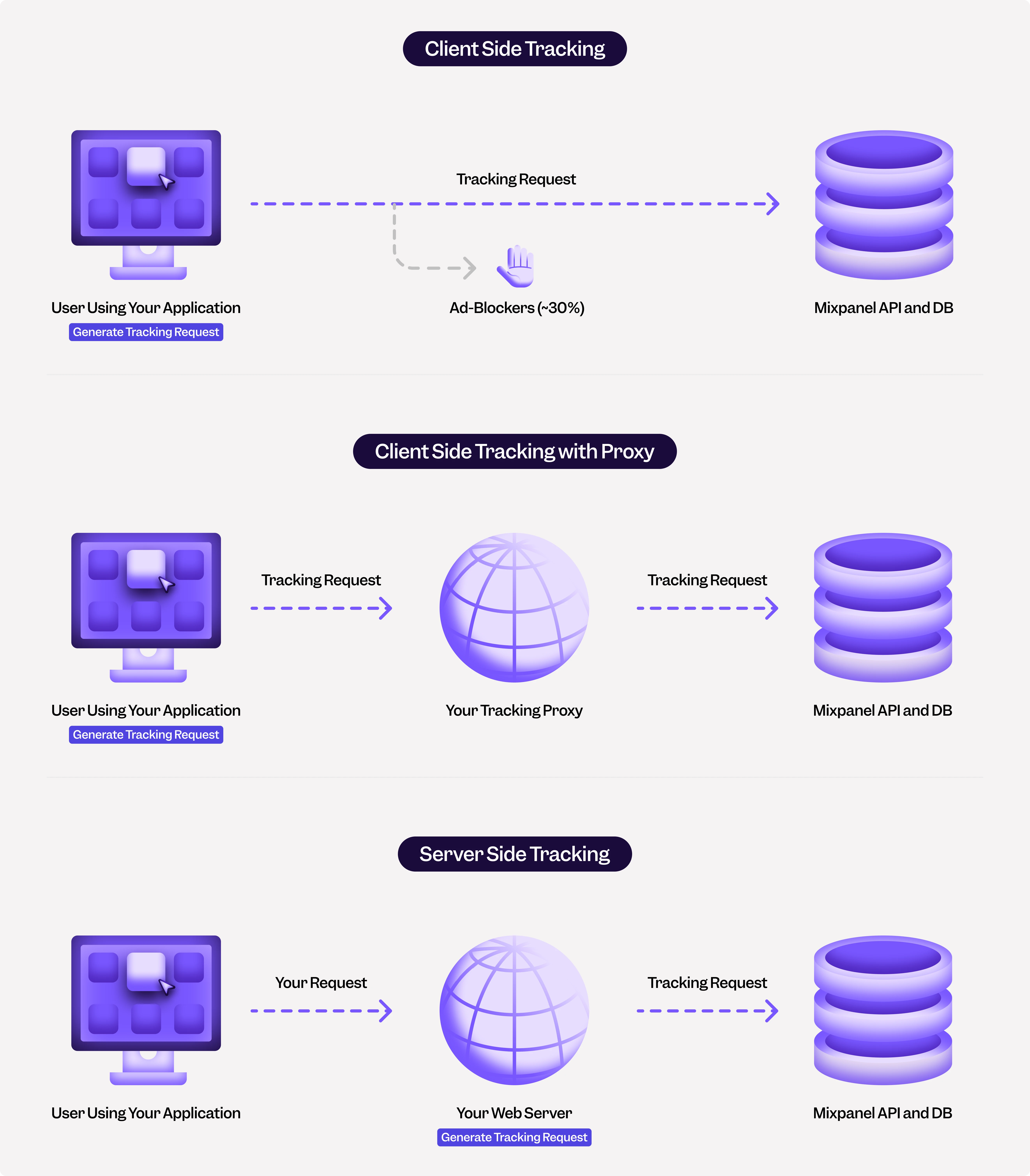
Server-Side Tracking
In this method, you send events from your servers to Mixpanel. For example, when a user loads a web page, a request is made to your web application server. In the code that handles the request, you can create a “Page Loaded” event and send it to Mixpanel. You can use one of our server SDKs (eg: Python) or send events to our HTTP API directly. Please see best practices for server-side tracking. Pros- Reliable, not susceptible to ad-blockers
- Data is consistent across platforms
- Easier to fix integration mistakes quickly
- Harder to track user interactions that only happen on the client
- Requires some custom code to track anonymous (non-logged in) users across requests
Client-Side Tracking
In this method, events are generated on the client device and sent to the Mixpanel API. There are two types of client-side tracking: web (Javascript) and mobile. Pros- Easy to track client-side actions and state
- Easy to track anonymous (non-logged in) user data
- Unreliable, due to ad-blockers. You may lose events for 30-50% of your users. You can resolve this by sending events through a proxy, but it requires a bit more effort
- Difficult to keep metrics consistent across web, iOS, and Android since each requires its own tracking
- Difficult to fix integration mistakes quickly (particularly on mobile applications)
- Tracking will diverge over time due to old mobile clients
Note: Mixpanel client-side SDK uses /track API endpoint which by default only ingests events in the last 5 days.