Growth and Enterprise plan users can control who views and edits reports in a board. Free plan users have view and edit permissions for all boards and reports in a project. See our pricing page for more details.
Overview
Reports are always saved to boards. When you save a report, you’ll be prompted to save it to a specific board. In essence, the board now acts as a folder, with many potential purposes, including:- A centralized place to track numerous metrics related to a product launch
- A chain of analyses digging into a particular behavior or issue
- A set of draft reports you’re working on
Sharing
Every Boards is accessible by all project members. Board-level sharing settings control how Boards are surfaced in Mixpanel and who can edit. Sharing is done at the board level. All reports saved on a board inherit the same sharing settings of that board. To share a board, click the Share button at the top right of the board.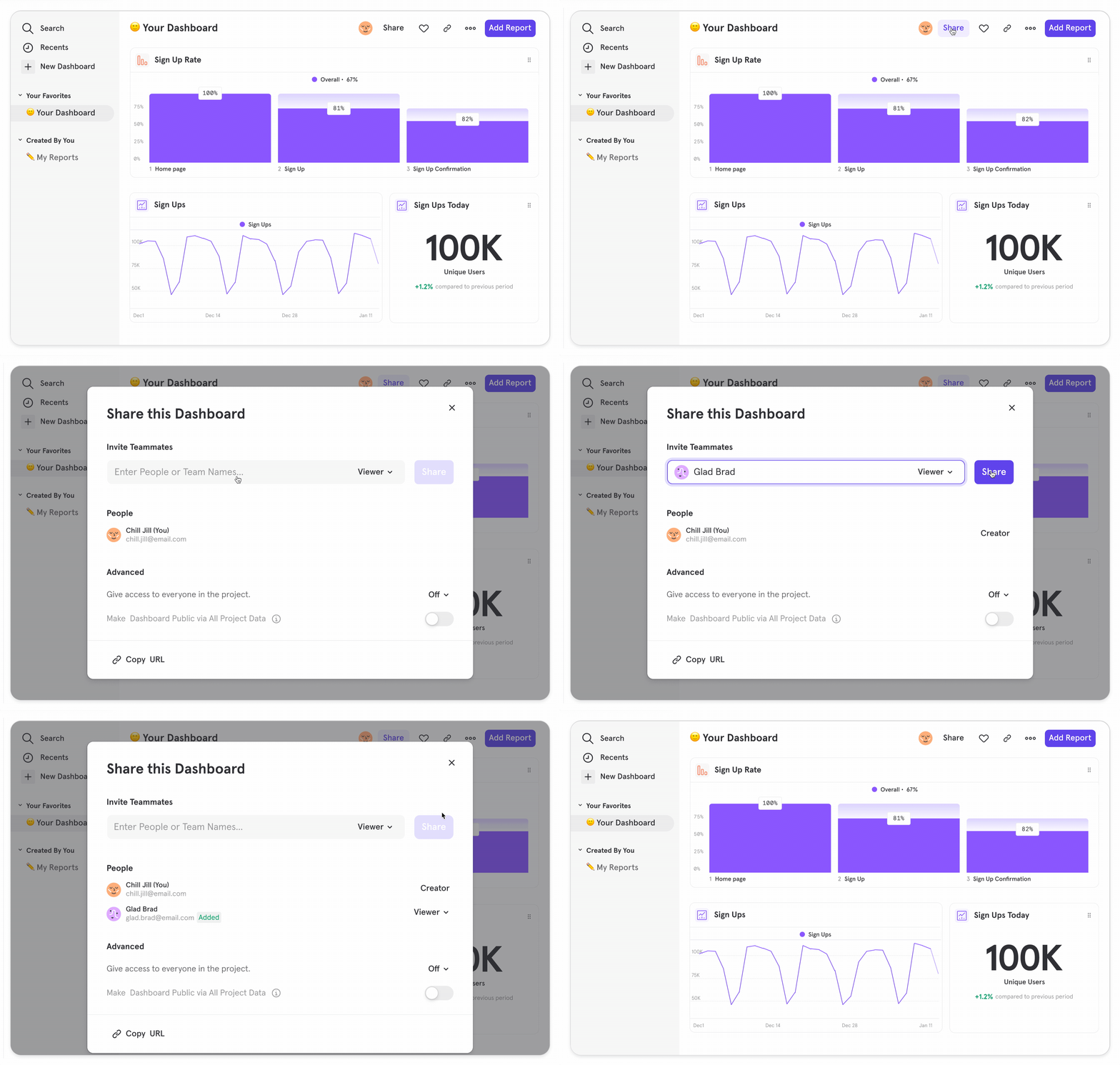
- Viewers: Board discoverable in Mixpanel search. Any changes Viewers make will not be saved
- Editors: Able to make and save changes to the Board
- Off: The Board does not surface in Mixpanel for users who are not Viewers or Editors of the Board. Note, even when project sharing is Off, any project member with the direct link can still view the Board
- Viewer: Board discoverable in Mixpanel. Any changes Viewers make will not be saved
- Editor: Able to make and save changes to the Board

Linked Reports
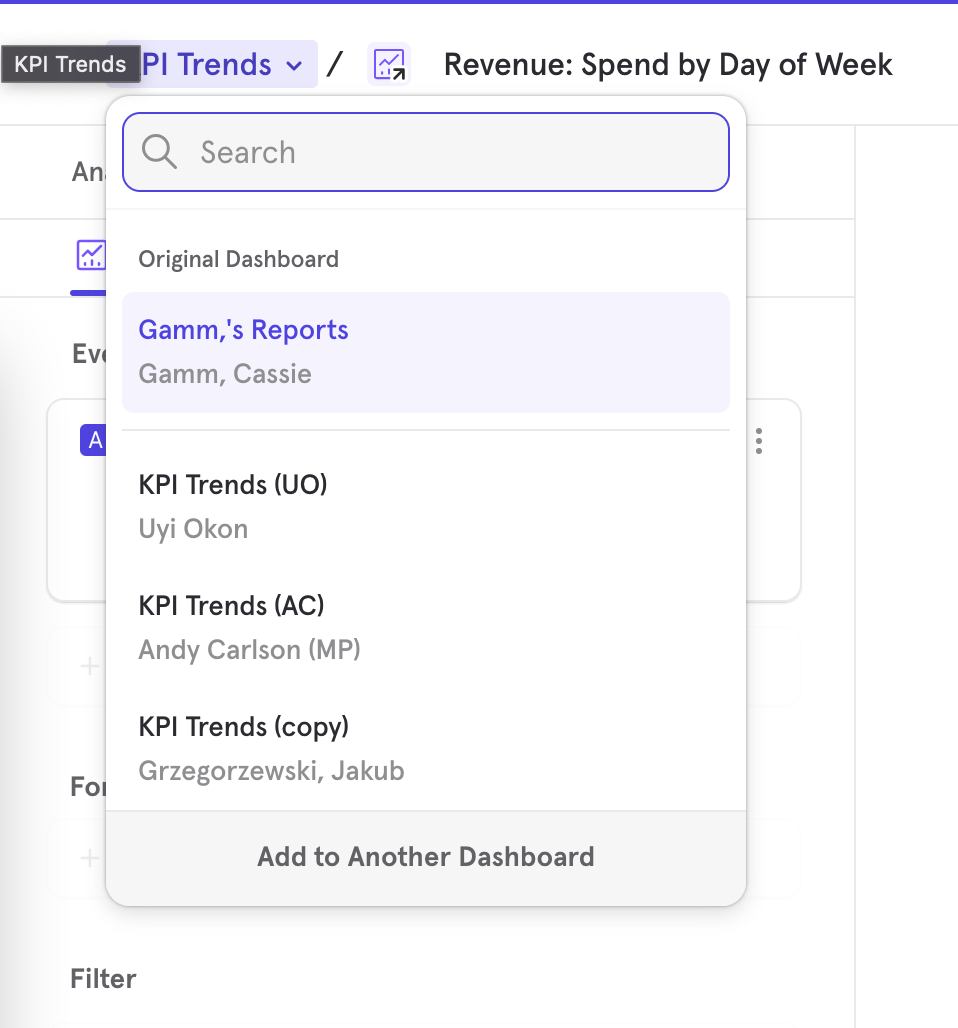
Every report in Mixpanel has a board where it was originally saved to. This is called the original board. However, in the interest of being able to use the same report across a variety of boards and sharing the same insight across your team and company, Mixpanel has introduced the concept of a “linked report”. A linked report is denoted by the arrow in the icon of the report. Any time an existing report is added to a board or a copy is made, a linked report is made. Any changes to the report will get reflected in all of the linked reports associated with the report.