

Overview
Export Mixpanel cohorts to Facebook Ads to use targeted advertisements in Facebook. Manage the Facebook Ads integration from the Mixpanel Destinations page. The integration currently supports data from Mixpanel into Facebook Business.You must have a Facebook Business account connected to Business Manager to use this integration.
Permissions
You must be a Mixpanel project admin to use the Facebook Ads data integration.Enable the Integration
Follow these steps to enable the integration with Facebook Ads:- Navigate to Data in the nav bar, then select Destinations.
- Click Add Destination, then select Facebook Ads.
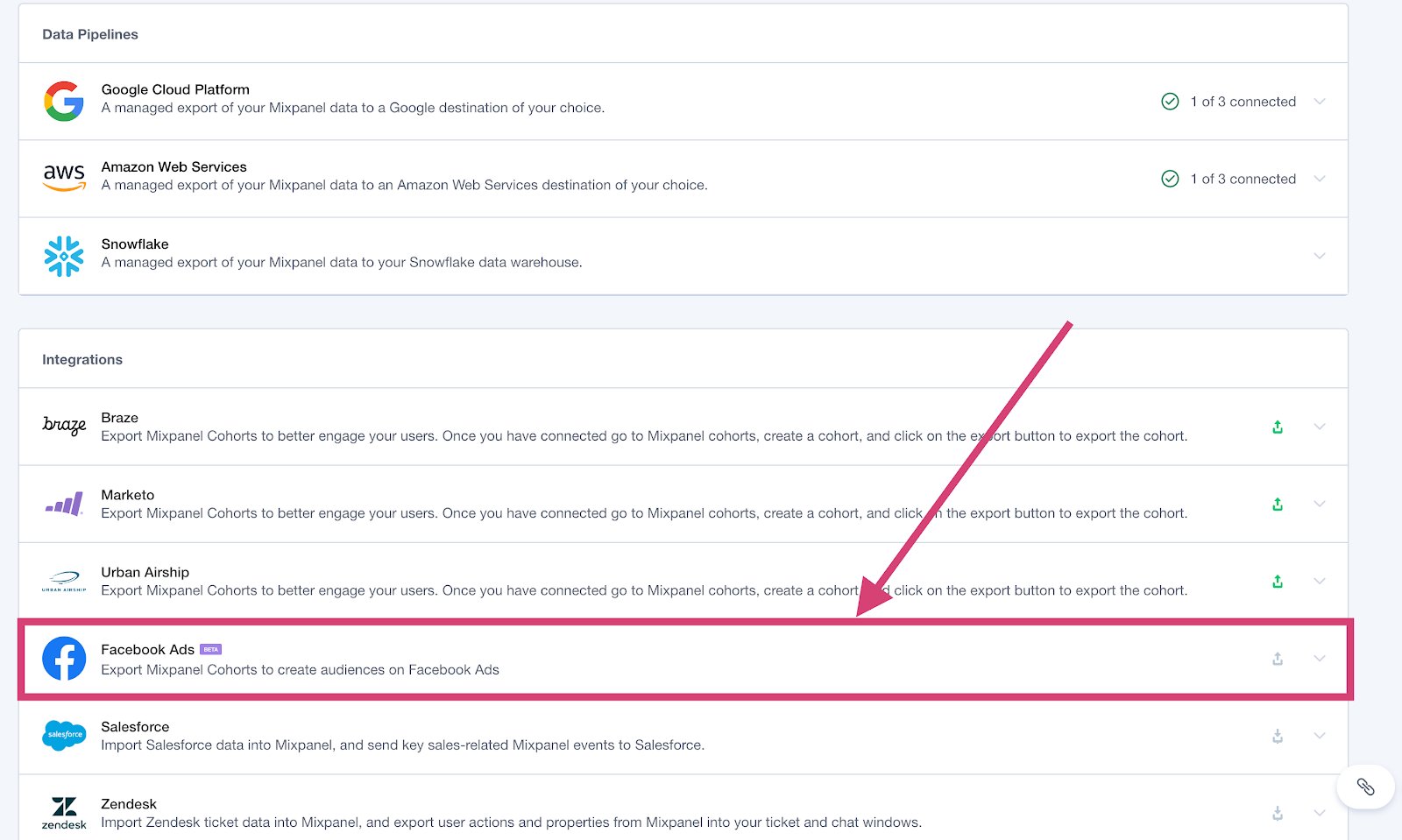
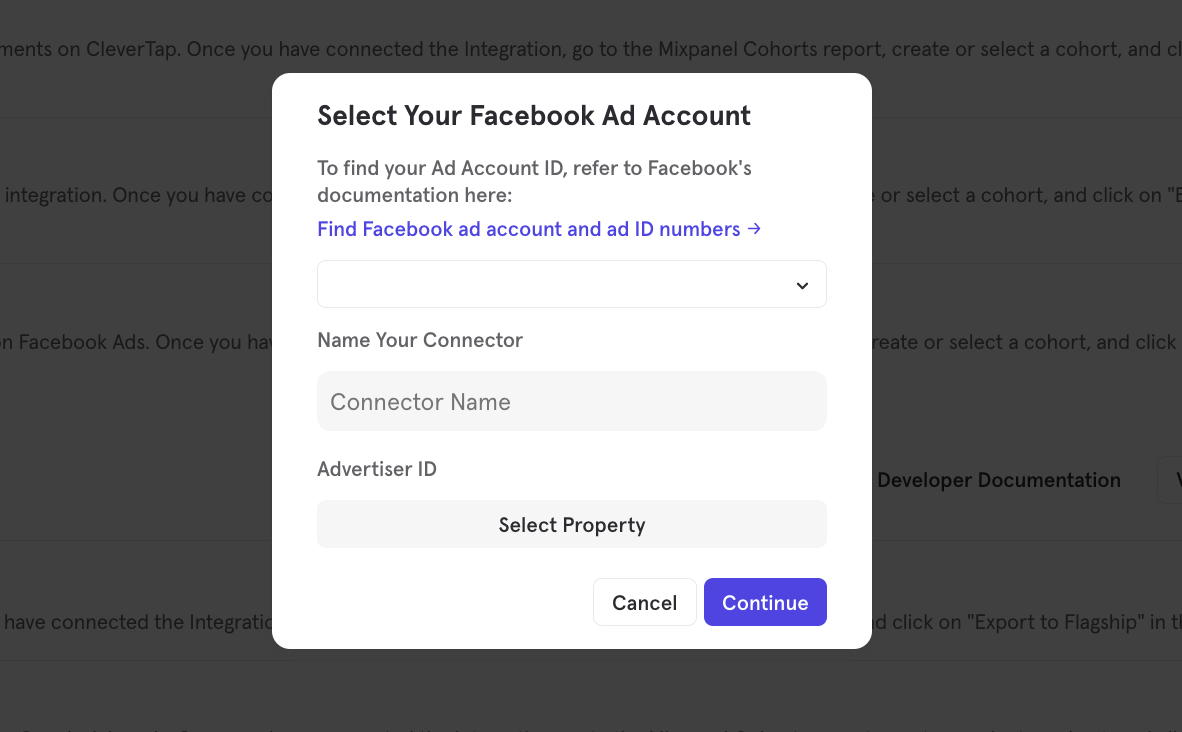
- Select your Facebook Ad Account ID and your connector name and also choose user property where you’re storing device advertising ID (optional)
- The Facebook Ads integration page will show a green export icon and details about the integration after it is connected. To disable the connector, select the Facebook Ads dropdown and click Disconnect.
Export a Cohort
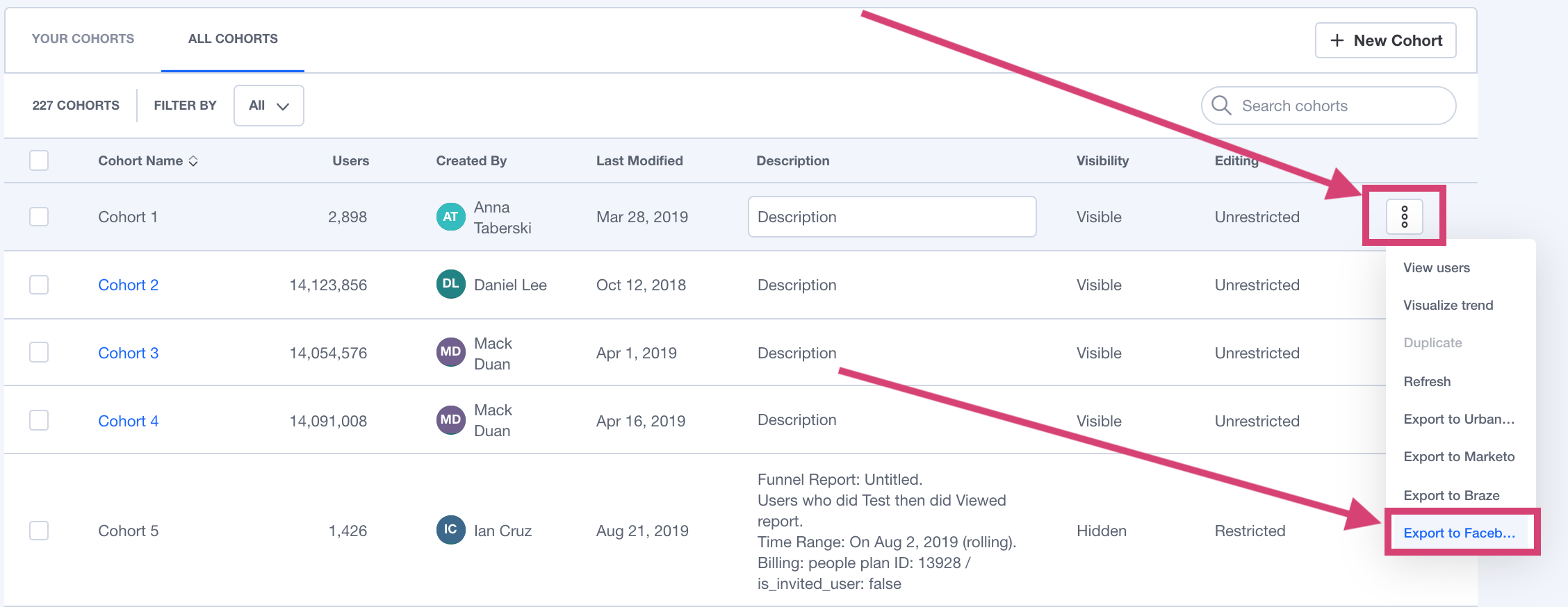
To export a cohort to Facebook Ads:- From the Destinations page (recommended)
- From Lexicon
- Navigate to Data in the nav bar, then select Destinations.
- Find the Facebook Ads destination in the list and click on it.
- Click the Syncs tab, then click Add Cohort Sync.
- Select the cohort you want to export and configure the sync (one-time or dynamic). Click Start Sync.
Sync Types
This integration supports two types of exports: one-time export and dynamic sync. When you generate a one-time export or a dynamic sync, it overwrites the previous export with an updated export that reflects users who qualify for the cohort at the time of export.One-Time Export
In a one-time export, Mixpanel sends Facebook a static export of users who currently qualify for the cohort. The cohort data will not be updated in Facebook after a one-time export.Dynamic Sync
In a dynamic sync, Mixpanel initiates a sync between a cohort and Facebook every two hours. The exported cohort will be updated every two hours to reflect the most recent list of users in a cohort.Select the Cohort in Facebook Ads
You must log in to Facebook Business Manager to use the Mixpanel Cohort in Facebook Ads. Select the Menu in Facebook Business Manager top navigation. Click on Audiences.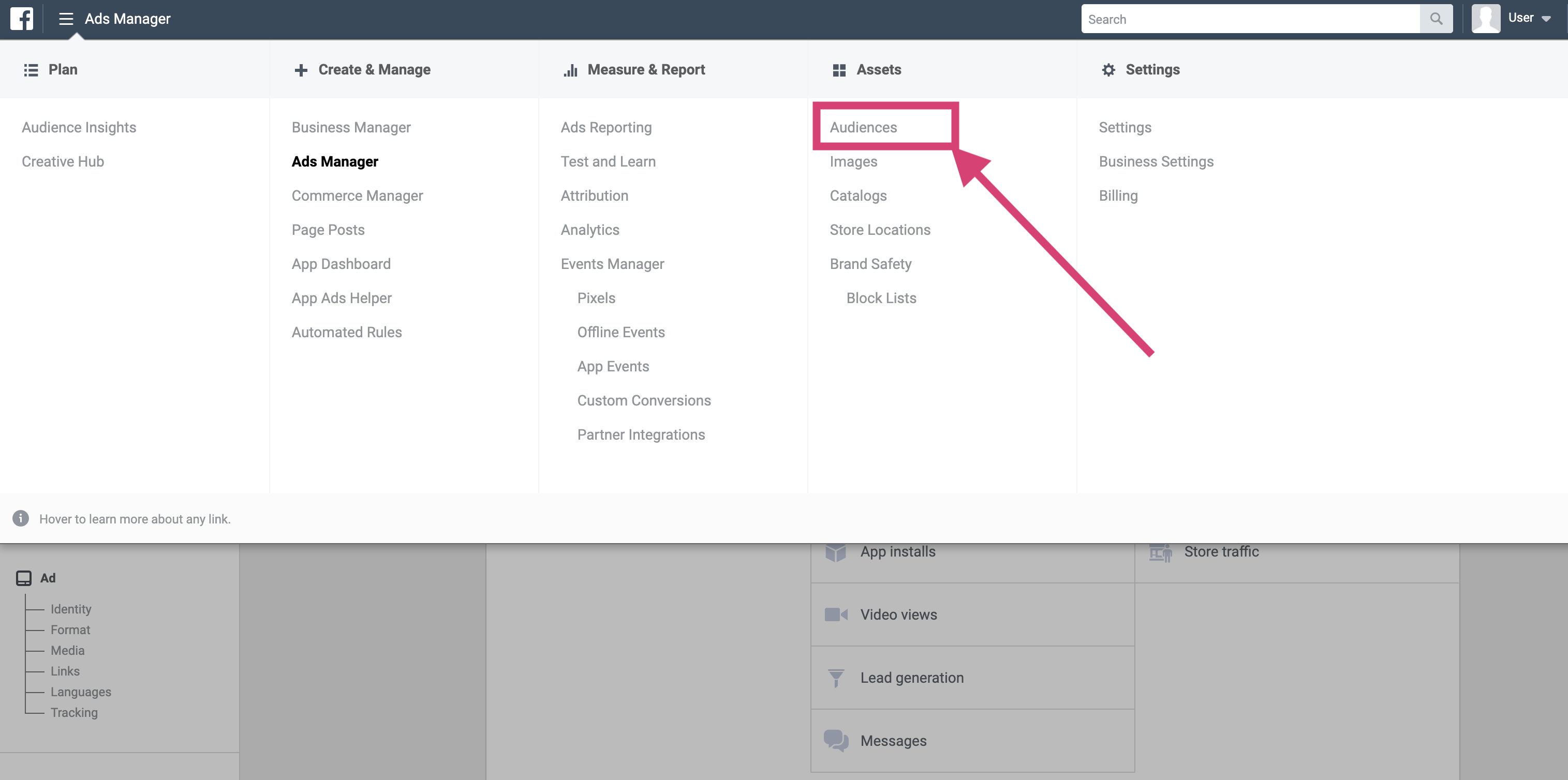
mixpanel_<Cohort Name>_<Cohort ID>.